How to Share My Location on WhatsApp
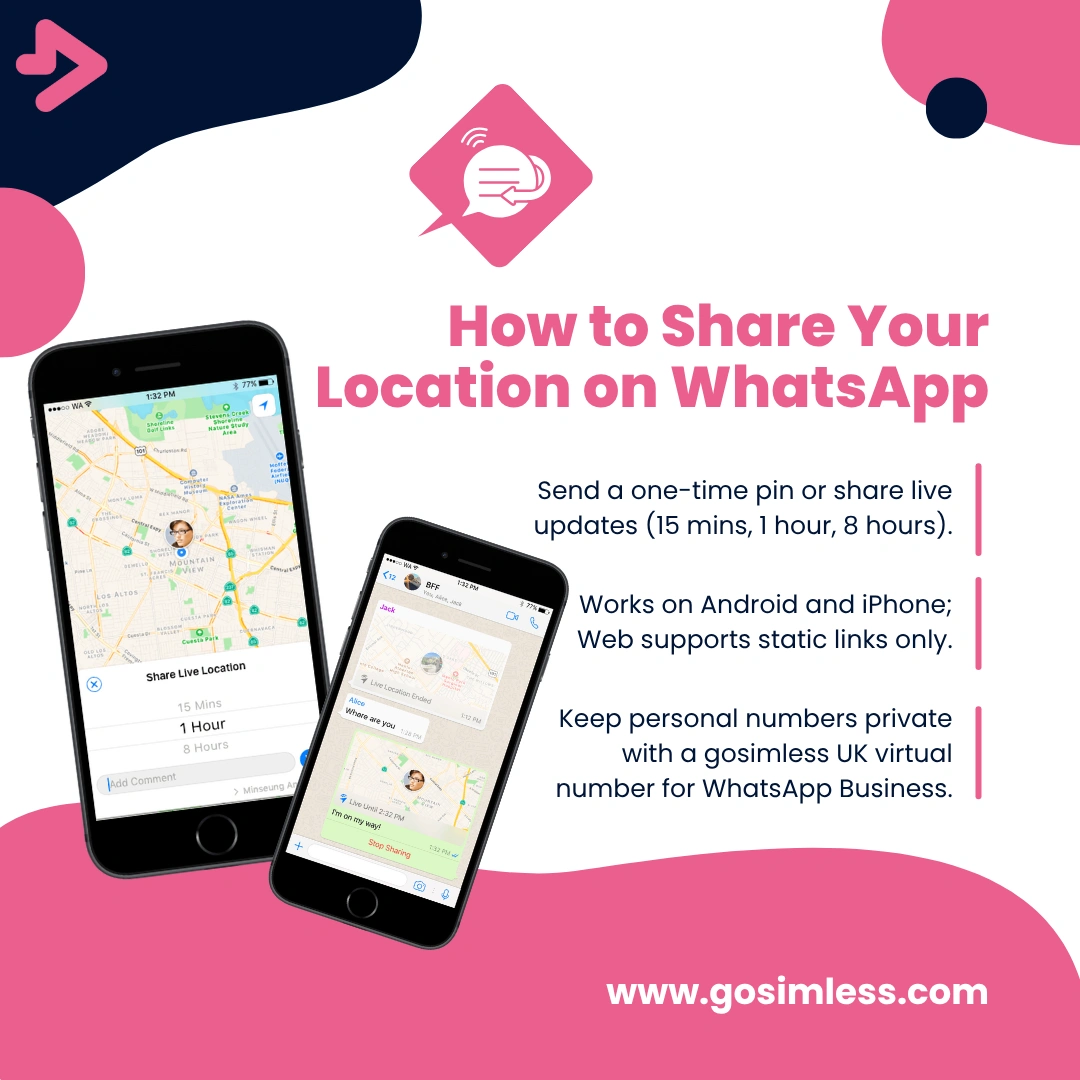
How to share your current or live location on WhatsApp using Android, iPhone, and WhatsApp Web. Step-by-step guide with privacy tips and FAQs.
Staying connected is about more than just sending messages. Sometimes you need to show someone exactly where you are. Whether you're arranging a meeting, letting family know you've arrived safely, or coordinating deliveries, WhatsApp makes it easy to share your location in real time.
In this guide, we'll explain how to share your location on WhatsApp step by step, covering Android, iPhone (iOS), and WhatsApp Web/Desktop. We'll also answer the most common questions, look at privacy considerations, and give troubleshooting tips if things don't work as expected.
What does sharing my location on WhatsApp mean?
Sharing your location on WhatsApp allows you to send either your current static location (a snapshot of where you are at that moment) or your live location (continuous updates for a set amount of time).
When you share your location, the person or group you send it to will see a pin on Google Maps or Apple Maps inside the WhatsApp chat. This can be a one-off point or a live updating map if you've chosen live sharing.
It's useful for:
- Meeting friends or colleagues in busy areas.
- Helping someone find you if they're unfamiliar with the location.
- Showing your live journey if you want reassurance for safety.
How do I share my location on WhatsApp? (Quick Answer)
To share your location on WhatsApp, open the chat with the person or group, tap the attachment icon (paperclip or + symbol), choose Location, and then select either Send your current location or Share live location.
On Android and iOS, this feature is built into the chat options. On WhatsApp Web/Desktop, direct live sharing isn't available, but you can manually copy and paste your Google Maps location link.
Step-by-step: share location on WhatsApp
Sharing location on Android
- Open WhatsApp and go to the chat where you want to share your location.
- Tap the paperclip icon in the message bar.
- Select Location.
- You'll see a map with your current position. Choose one of these options:
- Send your current location – sends a pin where you are right now.
- Share live location – sends a live updating map. You can choose how long to share: 15 minutes, 1 hour, or 8 hours.
- Tap Send and your contact will see your location in the chat.
Tip: If your GPS is off, WhatsApp will ask you to turn on location services.
Sharing location on iPhone (iOS)
- Open WhatsApp and select the person or group chat.
- Tap the + icon next to the message box.
- Select Location.
4.Choose one of the following:
- Send your current location.
- Share live location – again, you can select 15 minutes, 1 hour, or 8 hours.
- Tap Send to confirm.
Note: iPhones sometimes request permission to "Allow While Using App". Make sure WhatsApp has access to your location in Settings > Privacy & Security > Location Services.
Sharing location on WhatsApp web/desktop
Currently, WhatsApp Web does not support direct live location sharing. However, there are workarounds:
- Option 1: Send a static location link
- Open Google Maps or Apple Maps on your browser.
- Search for your current location.
- Copy the shareable link.
- Paste it directly into your WhatsApp Web chat.
- Option 2: Use your phone to share live location Since live updates only work on mobile apps, you can start sharing your live location from your phone. The contact will see it in the chat even if they're using WhatsApp Web.
Common questions and issues
What's the difference between sending current location and sharing live location?
- Current location: A one-time pin showing where you are when you send it. Ideal for static meetups, addresses, or confirming your position.
- Live location: Updates continuously as you move. Perfect for when you're travelling, on your way to meet someone, or want friends/family to track you safely.
How long can I share my live location?
WhatsApp allows live location sharing for:
- 15 minutes
- 1 hour
- 8 hours
You can manually stop sharing at any time by tapping Stop sharing inside the chat.
Is it safe to share my location on WhatsApp?
Yes – WhatsApp uses end-to-end encryption for messages and location sharing. This means only you and the person/group you send it to can see it. Not even WhatsApp itself can view your shared location.
However, always use caution:
- Only share your live location with people you trust.
- Stop sharing when it's no longer necessary.
- Review app permissions regularly in your phone settings.
Why can't I share my location on WhatsApp?
If the feature isn't working, check these points:
- GPS/Location Services Disabled – Ensure your phone's location services are turned on.
- Permission Denied – Check that WhatsApp has permission to access your location in your phone's settings.
- Weak Signal – If you're indoors or underground, your GPS may struggle. Try moving to an open area.
- Outdated App – Update WhatsApp to the latest version on Google Play Store or Apple App Store.
- Web/Desktop Limitation – Remember, live sharing doesn't work on WhatsApp Web.
Can I share location in a WhatsApp Group?
Yes. The process is identical to sending it in a one-to-one chat. Every member of the group will see your location pin or live updates.
This is especially useful for events, group meetups, or coordinating travel. Multiple group members can also share their live locations at the same time.
Can I fake my location on WhatsApp?
Technically yes, with third-party apps or VPN tools, but it's not recommended as it can breach WhatsApp's policies and compromise your account.
Can I share location without data or Wi-Fi?
No. WhatsApp needs an internet connection to send your location. GPS alone isn't enough – it requires data to update and send to the chat.
Can I share location on WhatsApp Web?
You can't share live location directly, but you can paste a map link from Google Maps.
Will sharing my live location drain my battery?
Yes, but only slightly. Continuous GPS usage can reduce battery life, so it's best to use short time windows unless necessary.
Can I stop sharing live location before the timer ends?
Yes. Open the chat where you're sharing and tap Stop sharing.
Privacy and security considerations
WhatsApp locations are encrypted, but the responsibility for safe use is yours. Avoid sharing your location with strangers, unknown groups, or unverified contacts.
For businesses, sharing a live location can be useful for logistics or customer updates, but always ensure it complies with your data protection and privacy policies.
Practical uses for businesses and professionals
If you're running a small business or service in the UK, WhatsApp location sharing can support your operations:
- Tradespeople can show customers their estimated arrival.
- Delivery services can reassure clients by updating their route.
- Event organisers can guide attendees to exact meeting points.
Paired with a UK virtual number from gosimless, businesses can use WhatsApp Business for customer communication while keeping personal numbers private.
Troubleshooting checklist
If you're still stuck after checking permissions and GPS, try:
- Restarting your phone.
- Logging out and back into WhatsApp.
- Reinstalling the app.
If problems continue, contact WhatsApp Support through the app.
Should businesses use location sharing on whatsApp?
Yes – it can build trust with customers. For example:
- Mobile car wash providers can share arrival updates.
- Delivery drivers can show progress.
- Property agents can direct clients to exact viewing locations.
When paired with a WhatsApp Business account verified via a UK virtual number, it keeps your communications professional and streamlined.
Location sharing made simple
Sharing your location on WhatsApp is straightforward and secure, whether you're using Android, iOS, or WhatsApp Web. With options for one-off pins or live tracking, you can coordinate with friends, family, and even customers in real time.
For UK businesses, gosimless offers the perfect partner service. You can choose from a WhatsApp mobile number, WhatsApp landline number or a business eSIM that help you run your business without exposing your personal details.
Start today with gosimless, and combine secure communication with the convenience of location sharing on WhatsApp.