How to Get & Activate an eSIM Easily?
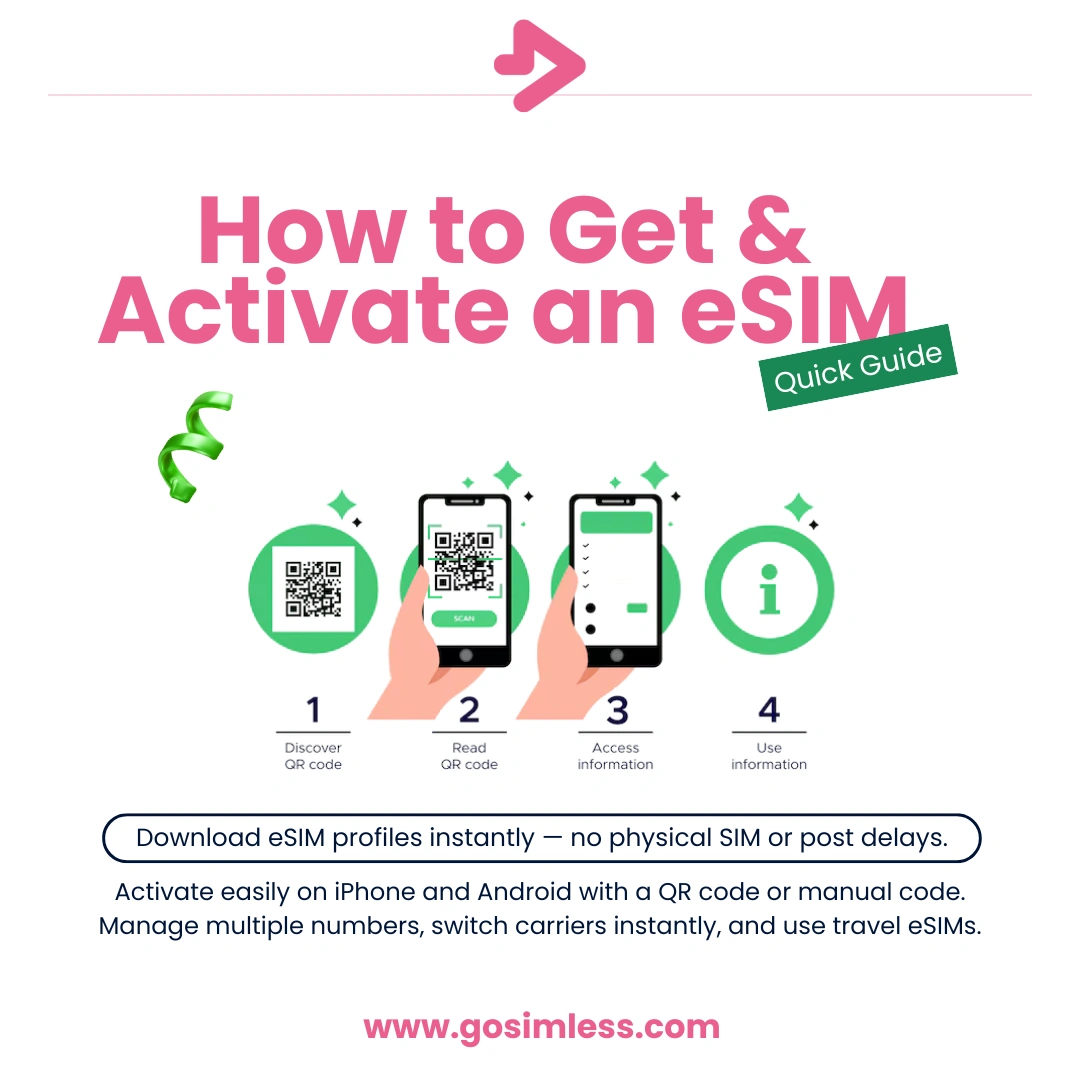
How to get and activate an eSIM on Android, iPhone, iPad and other devices. Step-by-step UK guide with troubleshooting, FAQs, and expert tips.
For decades, mobile phones relied on physical SIM cards which are those tiny chips that slot into a tray on your device. While reliable, physical SIMs come with drawbacks: they can be lost, damaged, or delayed in the post when ordering a new one.
Enter the eSIM, a built-in digital SIM that does away with physical cards entirely. With an eSIM, you download a profile directly to your device and connect to your network instantly. The result? Less hassle, more flexibility, and a faster setup process.
In this guide, we'll explain exactly how to get an eSIM, how to activate it on Android and iOS, and how to troubleshoot common issues. We'll also cover advanced topics like managing multiple numbers, switching providers, and using eSIM abroad.
What exactly is an eSIM?
An eSIM (short for “embedded SIM”) is a small chip built directly into your phone, tablet, or wearable. Unlike traditional SIM cards, you can't remove or replace it physically. Instead, the eSIM is programmable and can store multiple mobile plan profiles.
When you buy an eSIM plan, your provider sends you an activation method usually by way of a QR code or activation code. You scan or enter the code, and your device instantly downloads the network profile.
The key benefits are:
- No waiting for postal delivery.
- Ability to store multiple profiles on one device.
- Easy switching between providers and plans.
- Enhanced security because there's no physical card to lose.
How do you get an eSIM in the UK?
Getting an eSIM in the UK is straightforward, and you have several options:
- Major mobile networks – EE, O2, Vodafone and Three all offer eSIMs for contract customers. You can usually request one through your account settings online, through a mobile app, or by contacting customer support.
- Digital-first providers – Businesses like gosimless allow you to order and activate your eSIM entirely online without needing to handle physical SIM cards.
- Travel eSIM providers – If you're going abroad, you can buy a prepaid eSIM online and activate it before or after you land.
Most providers will email you a QR code within minutes of your order, meaning you can be connected almost instantly.
How to activate an eSIM on Android
The process varies slightly between Android devices (Samsung, Pixel, OnePlus), but the steps are generally similar:
- Open Settings.
- Go to Network & Internet, Connections, or a similar menu depending on your phone brand.
- Tap SIM cards or Mobile network.
- Select Add mobile plan or Download eSIM.
- Use your camera to scan the QR code sent by your provider.
- If you were given an activation code, choose manual entry and type it in.
- Confirm the installation and restart your phone if prompted.
- Choose whether this eSIM should be your default for mobile data, calls, or texts.
Tip: If you're using dual-SIM Android phones, you can keep both your physical SIM and eSIM active at the same time.
How to activate an eSIM on iPhone
Apple made eSIM support mainstream, and iPhones have one of the simplest activation processes:
- Go to Settings.
- Tap Mobile Data or Cellular.
- Select Add eSIM.
- Scan the QR code provided by your network.
- If converting from a physical SIM, tap Convert to eSIM and follow the prompts.
- Assign a label such as “Work” or “Travel” to help keep profiles organised.
- Set your preferred line for mobile data, calls, and messages.
On iPhones 14 and newer in the US, eSIM is the only option. In the UK, most iPhones still have a SIM tray, but eSIM is increasingly the preferred method.
Can you activate an eSIM through a web browser?
While activation itself must happen on your phone or tablet, you can often request an eSIM through your provider's website.
Here's how it usually works:
- Log in to your account on the provider's site.
- Choose Order an eSIM or Switch to eSIM.
- A QR code will appear on your computer screen.
- Scan it with your phone to begin installation.
This is particularly convenient if you're setting up multiple eSIMs or managing devices for your business.
Troubleshooting: common eSIM activation problems
Why won't my QR code scan?
Make sure you're in good lighting and hold your phone steady. If it still doesn't work, check if your provider has given you a manual activation code.
Why doesn't my eSIM show after scanning?
Sometimes it can take a few minutes. Restart your device and ensure you're connected to Wi-Fi. Check for pending software updates, which can also affect activation.
Can I switch back to a physical SIM if the eSIM doesn't work?
Yes, most UK providers will reissue a physical SIM if requested. However, once your eSIM is active, it's usually reliable.
Managing multiple numbers with eSIM
One of the biggest advantages of eSIM is the ability to carry more than one number on a single device.
- Work and personal: Keep your personal number on your physical SIM and add a separate eSIM for business use.
- Travelling: Keep your UK number on eSIM while adding a temporary data plan abroad.
- Temporary campaigns: Use an eSIM for a short-term project and delete it later.
Both iOS and Android let you label your numbers, making it easy to choose which line handles data, calls, or texts.
Security advantages of using an eSIM
Some worry about security when moving to digital-only solutions. In reality, eSIM offers several benefits over traditional SIM cards:
- No physical theft: A thief can't simply remove your SIM card.
- Encrypted provisioning: Your eSIM profile is delivered through secure channels.
- Remote control: If you lose your phone, your provider can deactivate your eSIM remotely.
Of course, you should still use strong device security such as passcodes and biometrics.
Which devices in the UK support eSIM?
Support for eSIM is expanding rapidly. Common compatible devices include:
- iPhones: iPhone XS and newer.
- Android phones: Google Pixel 3 and newer, Samsung Galaxy S20 and newer, and several others.
- Tablets: iPad Pro, iPad Air (3rd generation and later), iPad mini (5th generation and later).
- Wearables: Apple Watch (Cellular versions), Samsung Galaxy Watch.
- Laptops: Select Lenovo, HP, and Microsoft Surface devices.
Always check your specific model before ordering.
How to switch carriers using an eSIM
Switching networks has never been easier with eSIM.
- Request a new eSIM profile from your chosen carrier.
- Install it alongside your current plan.
- Test coverage and speed before deciding to switch permanently.
- Once satisfied, deactivate or delete your old eSIM profile.
This method avoids waiting for postal delivery and allows instant testing of new providers.
Can you use eSIM abroad?
Yes, and it's often the smartest option. You can:
- Roam with your UK eSIM, though this may be costly.
- Buy a travel eSIM for cheaper local data.
- Keep your UK number active for WhatsApp verification and banking alerts while using a local data eSIM abroad.
Dual-SIM devices make this especially convenient.
Frequently asked questions
Is an eSIM free?
Some providers charge a small fee, while others include eSIM as part of your plan.
How many eSIMs can I store?
Most iPhones support multiple eSIM profiles, though you can usually only use one or two at a time. Many Android phones now support dual active eSIMs.
Can I move my eSIM to a new phone?
Yes. Request a new QR code from your provider and install it on your new device.
Do I need a physical SIM as well?
Not necessarily. You can use eSIM alone if your provider supports it. Some users still prefer to keep a physical SIM for backup.
What happens if I reset my phone?
A factory reset may delete your eSIM. You'll need to reinstall it with the original QR code or request a replacement.
Best practices for smooth eSIM setup
To make your eSIM setup as painless as possible:
- Ensure your device is on the latest software update.
- Connect to Wi-Fi before scanning your QR code.
- Keep your QR code safe and don't share it.
- Label your profiles clearly if you use multiple numbers.
- If you travel often, consider flexible providers that make switching between eSIMs easy.
Upgrading to an eSIM
Getting and activating an eSIM is one of the simplest upgrades you can make to your mobile experience. Within minutes, you can download a plan, switch carriers, or set up a second number without needing to visit a shop or wait for delivery.
Whether you're in the UK looking for a new provider, setting up a work number, or planning to travel abroad, an eSIM offers flexibility, speed, and security. Now is the perfect time to make the switch.